The timeline
Slow to build. Slower to change.
A model takes days or weeks depending on complexity — and the moment the business changes shape (a new revenue line, a pivot), most of that structure has to be rebuilt.
For fractional CFOs and finance consultants
Describe a client’s business, bring their actuals, and get a deterministic P&L forecast in minutes — explore it live, or export the full model with every formula intact.
The problem
The timeline
A model takes days or weeks depending on complexity — and the moment the business changes shape (a new revenue line, a pivot), most of that structure has to be rebuilt.
The failure mode
A dragged formula, an off-by-one range — it survives review and ends up in front of someone deciding whether to fund the business, with your name on the model.
The AI trap
Language models are excellent at reading your business and unreliable at the arithmetic you have to defend to a client.
How it works
The first three are yours. The fourth is the engine’s — and you can check its work.
// AI acts here — it fills in the setup, notes what it decided and why, and nothing is committed until you lock it.
A paragraph in plain language, plus any files you already have — last year’s P&L, a deck as PDF, a term sheet. The AI turns that into a proposed structure: revenue lines, cost drivers, OPEX categories, seasonality, timeline. Or skip it and set the model up by hand.
// You act here. Nothing the AI proposed survives without you agreeing to it.
If the AI proposed it, review and adjust. If you built it yourself, this is where it’s finalised before actuals go in.
// Paste · Grid · Excel template
Paste a block out of a spreadsheet, type into the grid, or send the client a pre-formatted template to fill in. Coverage is shown period by period, and an empty cell counts as a gap rather than a zero — half a dataset still builds a model.
// Same inputs, same figures, every build. No language model in the arithmetic.
Every figure computed by fixed rules, never by a language model — explore it on screen, export the full Excel workbook, or branch a new version.
What you get
Read the model without opening a file
Every model you build opens as a live P&L, with revenue, operating expenses and unit economics a tab away. Switch between monthly, quarterly and annual in one click, and narrow it to actuals or forecast.
Answer the client’s what-if in the meeting
Grow a revenue or cost-of-sales line by a rate, hold it flat, or read it from a budget or market series. The statement recomputes beside you and shows what the change does to revenue, EBITDA and net income. The locked version is never touched.
Hand over something they can audit
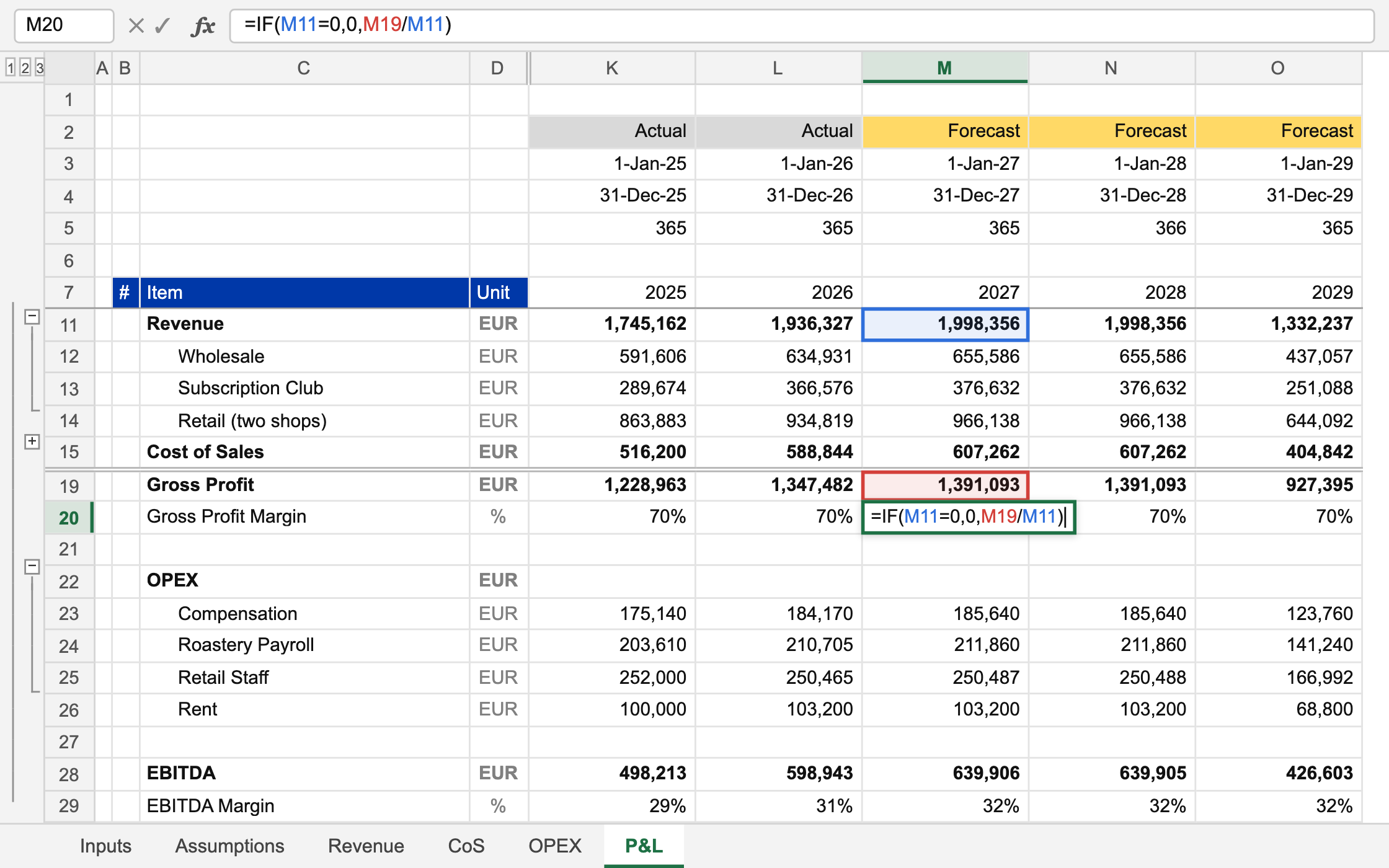
Six linked sheets with live formulas, inputs kept apart from calculations, and every assumption a dropdown the client can change. A plain .xlsx with no add-in and no macros, so it keeps working whether or not we do.
Every line the business actually has
Forecast each revenue stream by units and price, and split the streams up to two levels deep, by site, region or channel. Cost of sales is priced per unit or as a gross margin, and periods run from yearly down to daily.
Next quarter starts where this one ended
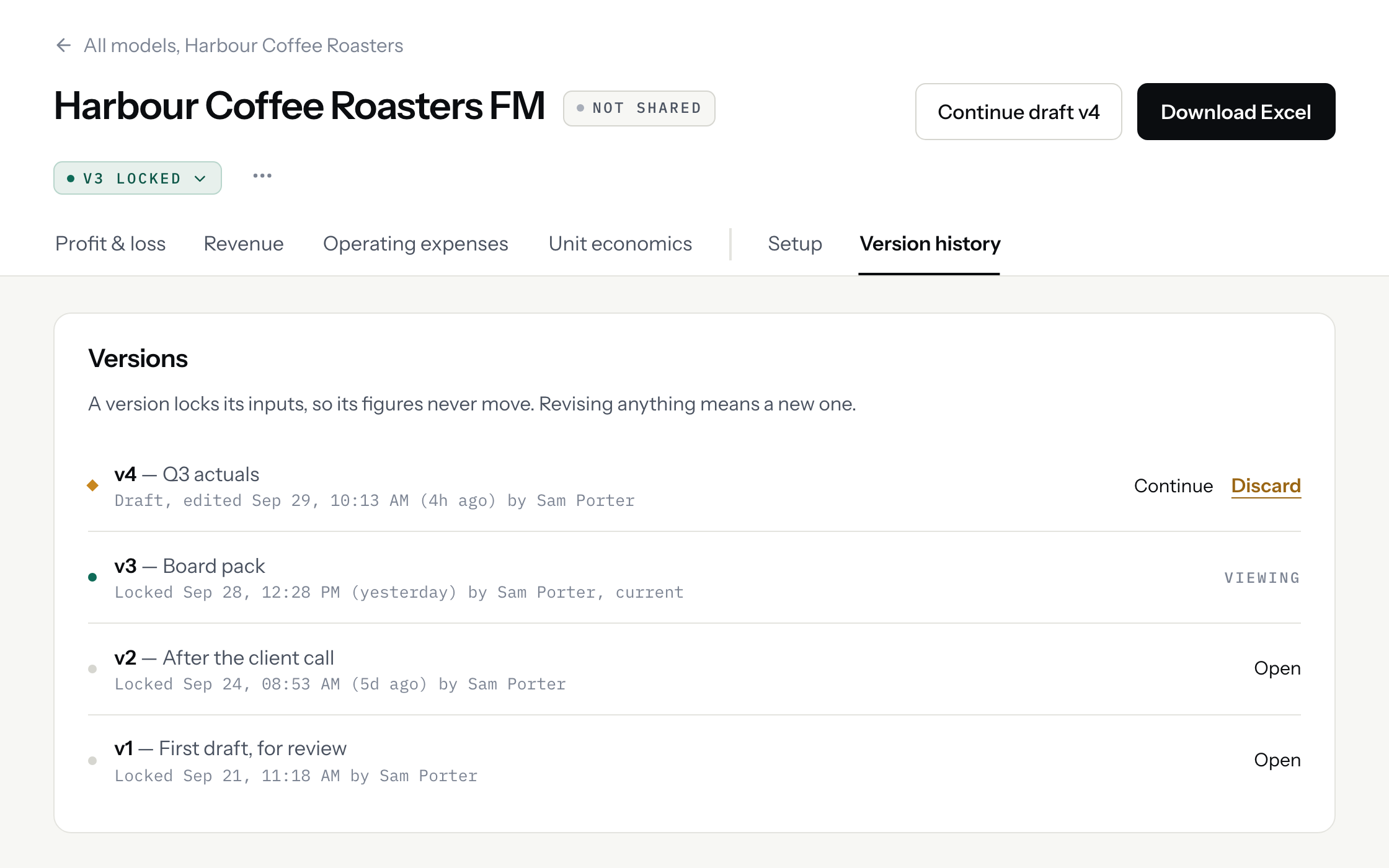
Lock a version and it stays exactly as sent. Next quarter, start a new one: it copies the last version’s actuals and assumptions, so you add the months that closed and build again.
Run a book of clients, not a folder of files
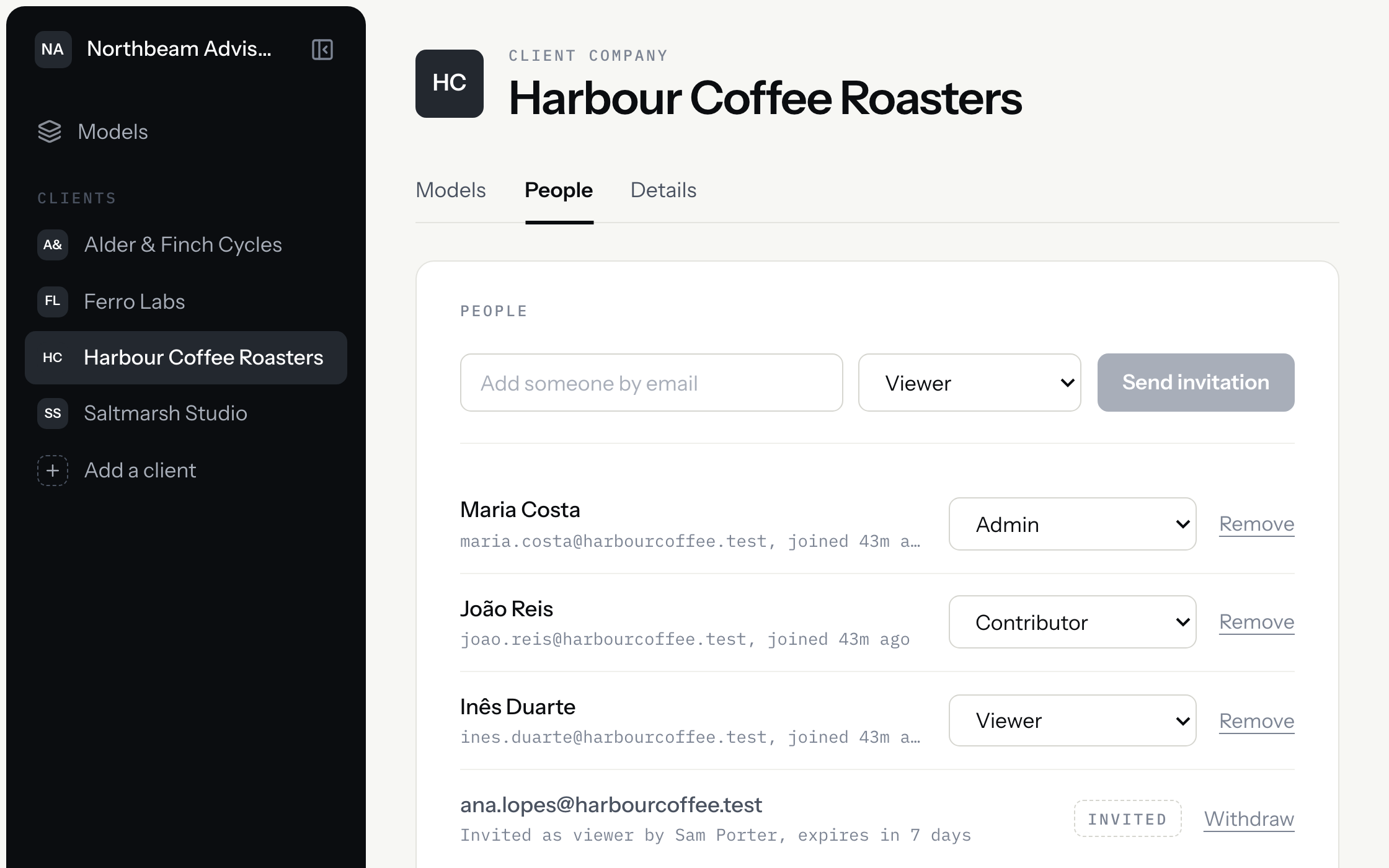
Give colleagues one of five roles. Each client gets its own space with its own people and models. Share a model when it’s ready, and if the engagement ends, the client keeps everything.
FAQ
Something we didn’t cover? Email us and a founder will answer, usually the same day.
No. It fills in the setup form from your description and stops there. Every figure comes from the deterministic engine. Beside what it filled in, it notes what it decided and why, and nothing is committed until you review and lock the setup. You can also skip it entirely and set the model up by hand.
The same inputs always give the same figures. Every number is calculated by fixed rules — the kind of formulas you would write in a spreadsheet — rather than generated by a language model, so nothing is guessed and nothing shifts from one run to the next. And if we ever change how a calculation works, models you have already made don’t quietly change with it — they’re flagged, so you decide when to update them.
P&L today. Balance sheet, cash flow and DCF are next on the engine roadmap.
Create a new version, add the actuals for the periods that closed, regenerate. Structure and assumptions carry over, so a quarterly refresh is data entry and a review — not a rebuild. The previous version stays on record.
Six linked sheets — Inputs, Assumptions, Revenue, CoS, OPEX and P&L — with formulas across them, marked input cells, grouped period columns, and an Assumptions sheet carrying the scenario switches for each line. It is a normal .xlsx: it opens, recalculates and edits like any other workbook.
That works too. The same engine, versions and Excel file work for a single company — you just won’t need the client spaces.
Get in touch
Curious how it works, or have a question about your own practice? Write to us and we’ll find a time to show you the product.
// Pricing
Pricing isn’t settled yet. Ask, and you’ll get our current thinking rather than a placeholder.